Step-by-step guide
How to make a biodata for marriage
Most families finish a good biodata in about ten minutes. Here is what to write, in what order, and how to make it look its best on paper and on WhatsApp.
Sample designs
Real output from our renderer: the PDF you download looks exactly like this. Start with Ivory, or pick any design.
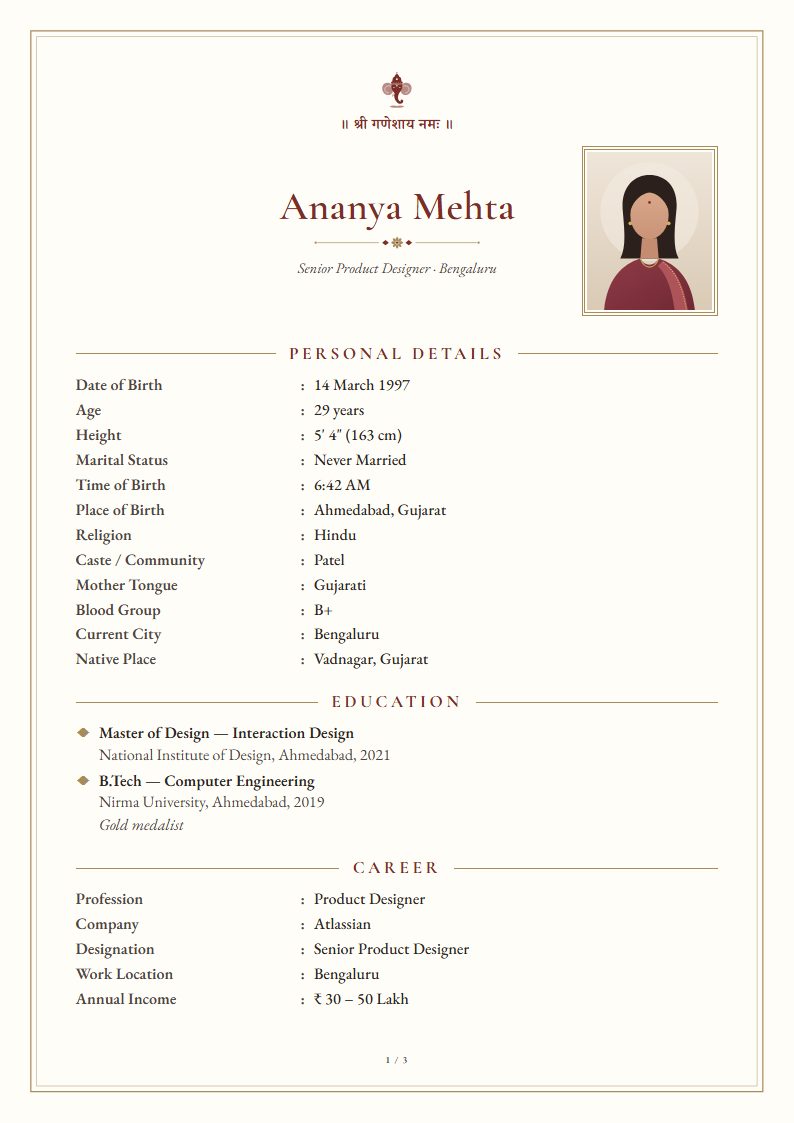
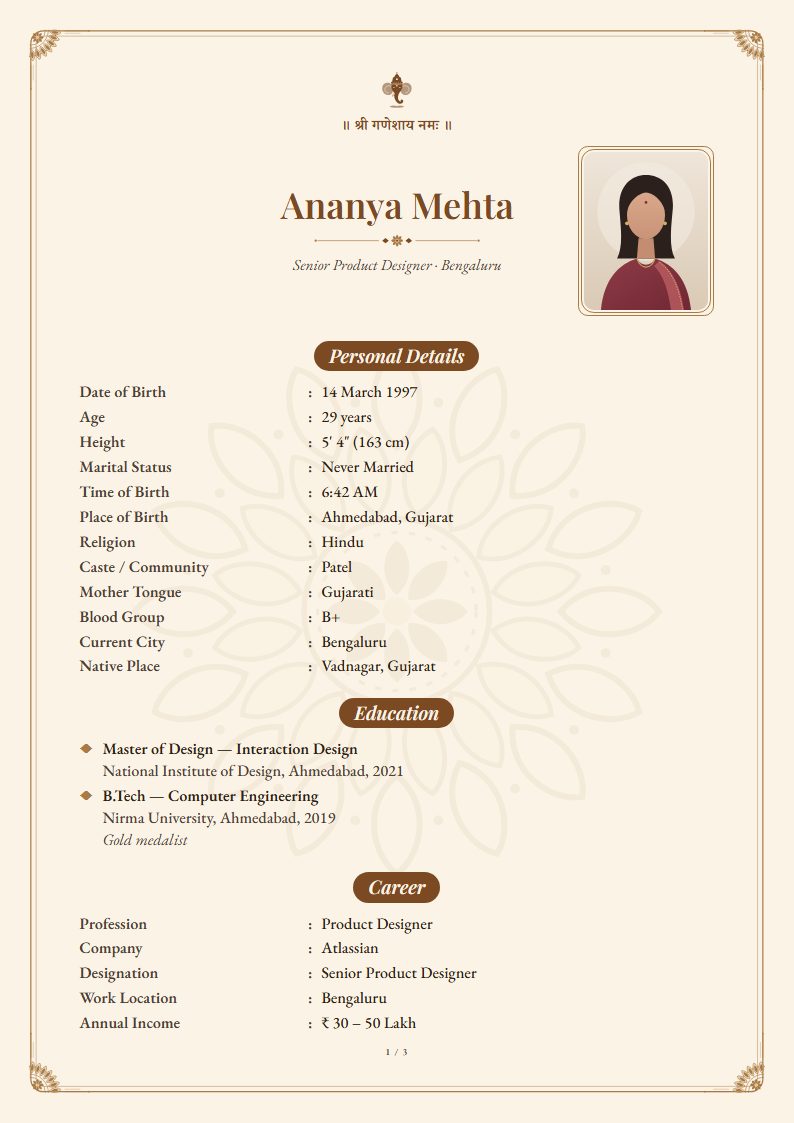
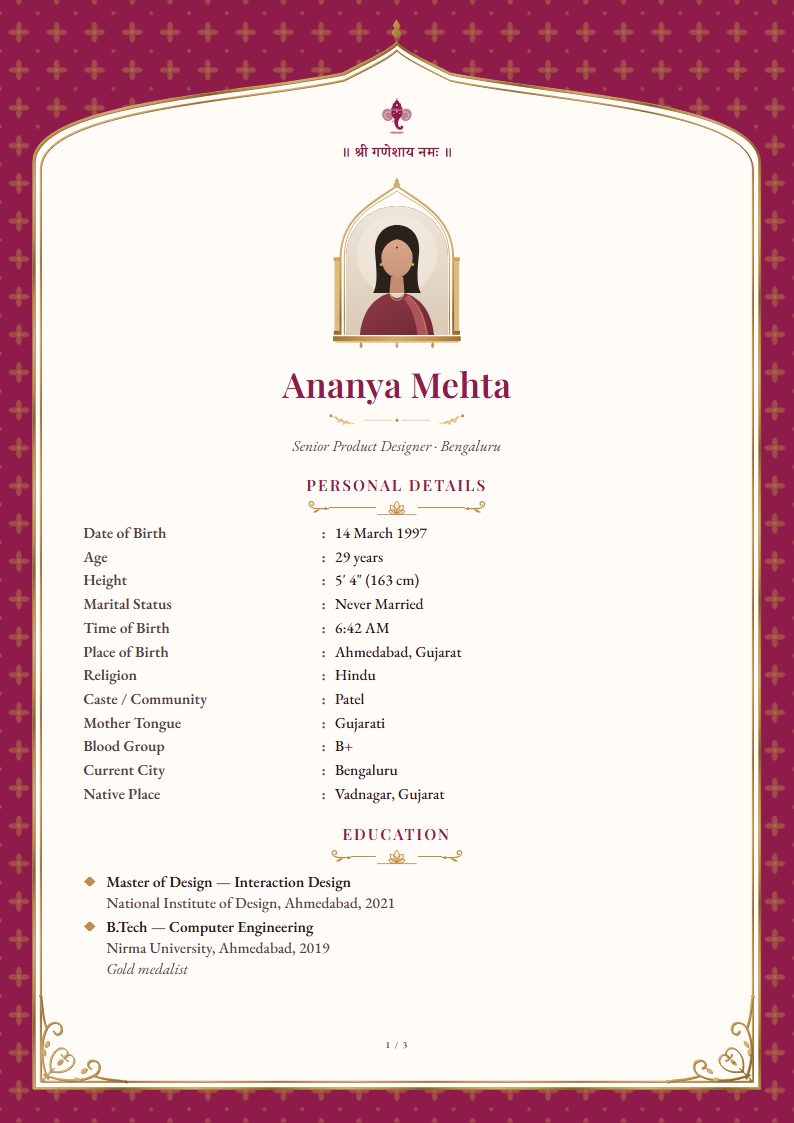
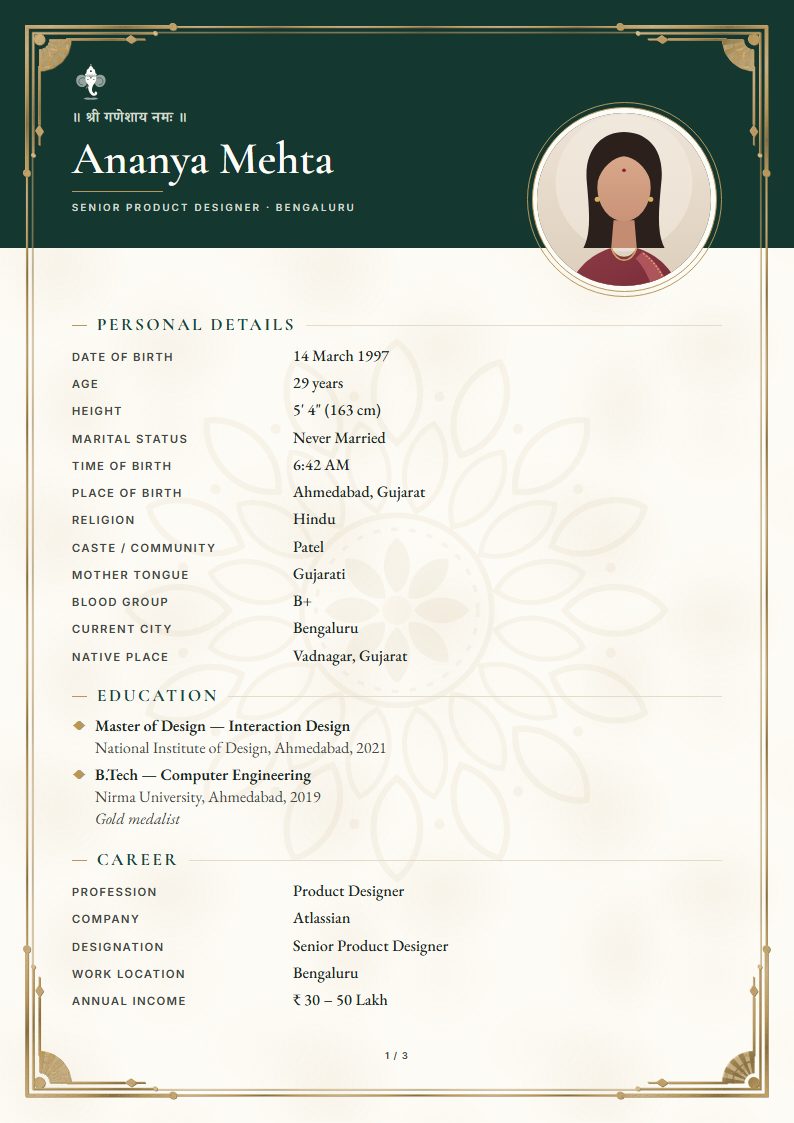
Seven steps to a biodata your family will share
- 1
Pick a template
Choose a design that suits your family: traditional, royal, modern or minimal. You can switch at any time without losing anything you’ve typed.
- 2
Add your name, photo and blessing
Use your full name, a recent photo cropped to the shoulders and a blessing line for your community, such as ॥ श्री गणेशाय नमः ॥ or Jai Jinendra.
- 3
Fill in personal details
Date, time and place of birth, height, religion and community, mother tongue and where you live now. Age is calculated from your date of birth.
- 4
Add education and career
List degrees highest first. For career, give your role, company and city; income is optional and can read “Disclosed on request”.
- 5
Describe your family
Parents’ names and occupations, siblings and their marital status, and a line about your family’s values or background.
- 6
Write about yourself and your expectations
Three or four honest sentences about you, then what you hope for in a partner. Warm and specific beats a long list.
- 7
Preview and download
Check the live A4 preview, turn on ‘Fit to one page’ if you want a single sheet, and download the PDF: print quality, or a lighter file for WhatsApp.
What to write in ‘About me’
Keep it short and personal. Mention what you do, two or three things you enjoy and what matters to you in family life. For example: “I am a calm, curious and family-oriented person who enjoys designing products that make everyday life simpler. I love long walks, Sunday cooking with my mother and planning trips with friends.”
Mistakes to avoid
- A blurry, heavily filtered or group photo.
- Tiny text squeezed onto one page. Two clear pages are better than one unreadable one.
- Missing contact details, or a number nobody answers.
- Exaggerated income or qualifications: they come up in the first conversation.
- Sharing an editable Word file: a PDF looks the same on every phone and printer.
Writing a biodata by hand, in a diary or on paper
Some families still write the first draft in a diary or on a sheet of paper, to show an elder or to copy out later. Follow the same order as a printed biodata, so it reads the way families expect.
- Write the blessing line at the top centre, with your full name in capitals below it.
- Leave a box in the top corner for a passport-size photo, and paste it rather than stapling it.
- Write one detail per line as Label : Value, in the order of the marriage biodata format.
- Use a blue or black pen and underline each section heading: Personal Details, Education, Family Details, Contact.
- Write on one side of the page only, so it photographs or photocopies cleanly.
- Once it’s final, type it into a template: it takes about ten minutes, and every relative can open the PDF.
Make it right for your family
See the full marriage biodata format, or the specific guides for a boy’s biodata and a girl’s biodata. Prefer Hindi? Read biodata kaise banaye.
Questions
How long does it take to make a biodata?+
About ten minutes if you have your details ready. Everything saves automatically in your browser, so you can stop and come back.
Can I make a biodata on my phone?+
Yes. The editor works on any modern phone, and on phones the download button gives you a WhatsApp-sized PDF by default.
Can I share my biodata as an image?+
Yes. Besides the PDF, you can save each page as a JPEG image, which shows inline on WhatsApp instead of arriving as a file to open.
Do I need to sign up?+
No. There is no account. Open the editor and start typing.
Is it free?+
Yes. The Free template has unlimited PDF downloads, no watermark and no sign-up. Premium designs are a one-time ₹49, ₹79 or ₹99, and you can preview every one with your own details before paying.
Is my biodata uploaded anywhere?+
No. Your details and photo are saved only in your browser on this device, and the PDF is generated on your device too. There is no account and nothing is sent to a server.
Ready in about ten minutes.
Create your biodata